 Outfit Check
Prepare your source
Upload a finished fashion image and select a movement preset. The output is a six-second video.
Bring a fashion photo to life with a short motion clip.
One 6-second video at 480p, with subtle movement.
Photos are uploaded for processing. Temporary inputs are removed from this studio when the set finishes. Saved references and results stay private. Processing services have their own retention policies.
Inspiration in practice
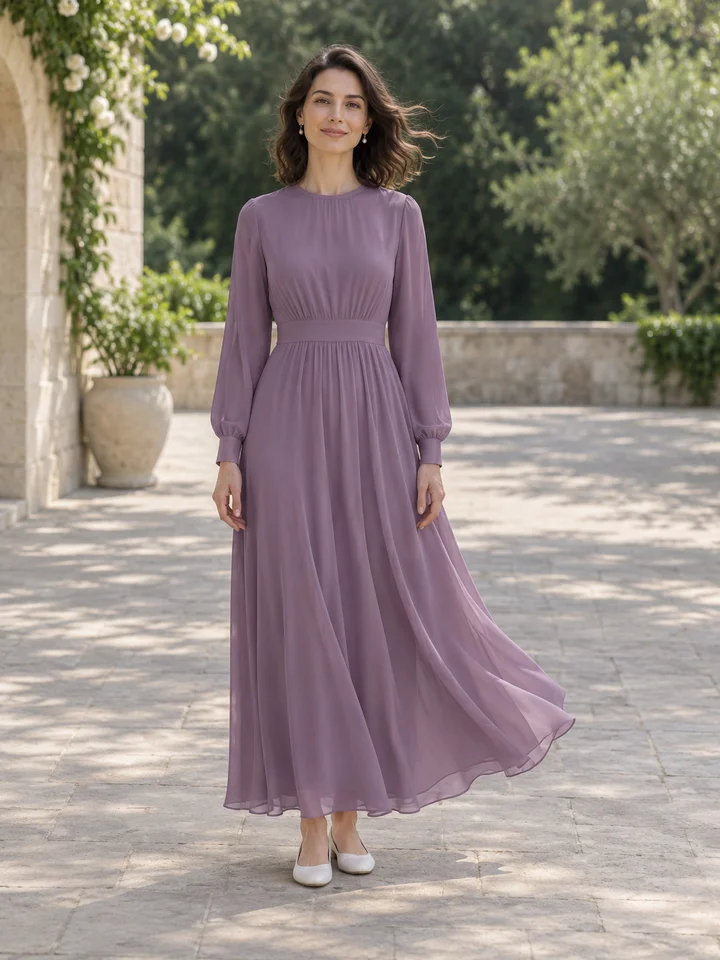
A champagne silk dress moves through a quiet coastal moment. A subtle movement can make fabric and silhouette feel more alive without asking the image to become a busy scene. Start with a restrained motion choice when clothing consistency matters.
Try this toolChoose subtle breathing, a gentle breeze or a slow turn to animate your image. The motion brief keeps the camera steady and asks for the person and clothing to remain consistent through the clip.
Create short social previews, moving lookbooks and campaign presentation ideas.
Upload a finished fashion image and select a movement preset. The output is a six-second video.
Use the options above to set the effect you want. Check the credit estimate before you start.
Compare the result with your source and download the finished image or video.
Use a finished image with a clear face and a complete outfit. Choose breathing for minimal movement, breeze for fabric and hair, or slow turn for a more visible change. Watch all six seconds, checking hands, hems and the closing frame before downloading.
This tool creates a short moving clip from an image. It does not generate a set of verified product views. For static alternatives choose Multi-Angle Photos; for a larger or differently shaped source image, finish enhancement or reframing first.
Upload a finished fashion image and select a movement preset. The output is a six-second video.
Motion can distort hands, faces or fine garment details. Review the entire clip before sharing; a slow turn also estimates previously unseen areas.
Use a finished image with a clear face and a complete outfit. Choose breathing for minimal movement, breeze for fabric and hair, or slow turn for a more visible change. Watch all six seconds, checking hands, hems and the closing frame before downloading.
This tool creates a short moving clip from an image. It does not generate a set of verified product views. For static alternatives choose Multi-Angle Photos; for a larger or differently shaped source image, finish enhancement or reframing first.