 Outfit Check
Prepare your source
Upload a clear garment photo with the main item visible. Choose an output shape and describe any important presentation details.
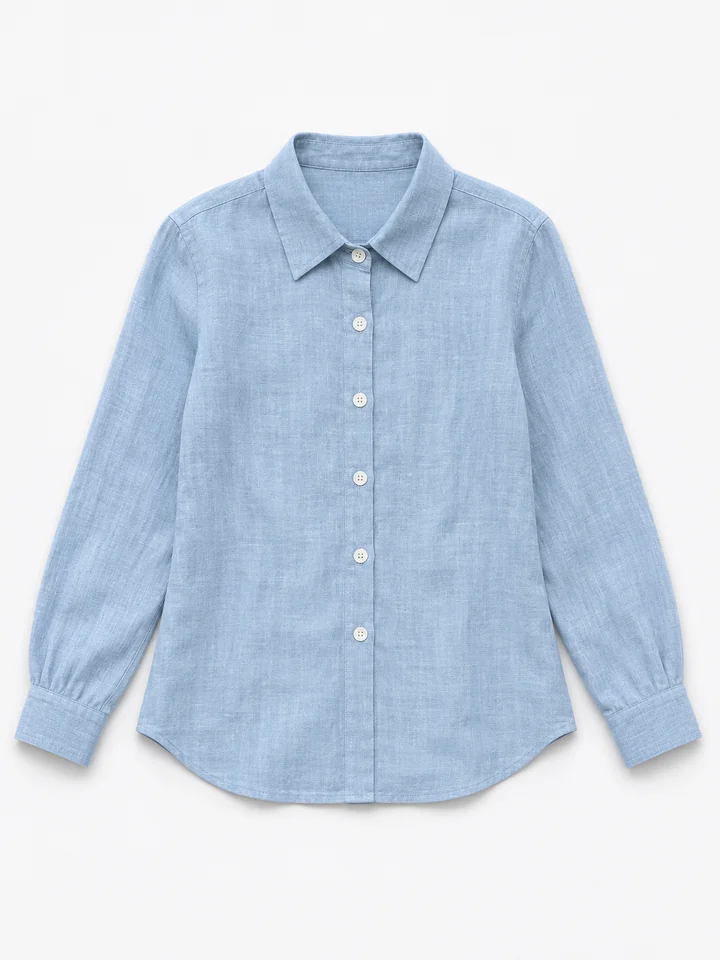
Present a garment in a clean top-down arrangement.
The garment arranged flat, photographed directly from above.
Photos are uploaded for processing. Temporary inputs are removed from this studio when the set finishes. Saved references and results stay private. Processing services have their own retention policies.
Inspiration in practice
A blue linen set, soft lavender knitwear and dark tailoring form three distinct flat-lay compositions. A top-down arrangement makes color and texture easy to compare without a model drawing attention. It is useful for showing a coordinated outfit as a small visual collection.
Try this toolFlat lay photography removes the worn presentation and arranges the garment as if it were photographed from above. It emphasizes the shape, color and overall styling of the clothing.
Prepare clothing boards, collection overviews and simple product image concepts.
Upload a clear garment photo with the main item visible. Choose an output shape and describe any important presentation details.
Use the options above to set the effect you want. Check the credit estimate before you start.
Compare the result with your source and download the finished image or video.
Choose an image that separates the main garment clearly from surrounding objects. Mention which pieces should remain and whether the layout should be simple or include accessories. Leave enough room around sleeves and hems, then check the arrangement before using it in a product layout.
Flat lay emphasizes an arranged, top-down presentation. Ghost Mannequin keeps the hollow volume of clothing as if it were worn. If you only want to keep the original object and remove its backdrop, choose Background Remover instead.
Upload a clear garment photo with the main item visible. Choose an output shape and describe any important presentation details.
The layout is generated rather than physically photographed. Check sleeves, hems, prints and small accessories before publishing.
Choose an image that separates the main garment clearly from surrounding objects. Mention which pieces should remain and whether the layout should be simple or include accessories. Leave enough room around sleeves and hems, then check the arrangement before using it in a product layout.
Flat lay emphasizes an arranged, top-down presentation. Ghost Mannequin keeps the hollow volume of clothing as if it were worn. If you only want to keep the original object and remove its backdrop, choose Background Remover instead.