 Outfit Check
Prepare your source
Upload a person or garment photo, then choose the camera views you need.
Explore new camera views from one fashion image.
Separate images from your selected camera positions. Hidden details are estimated.
Photos are uploaded for processing. Temporary inputs are removed from this studio when the set finishes. Saved references and results stay private. Processing services have their own retention policies.
Inspiration in practice
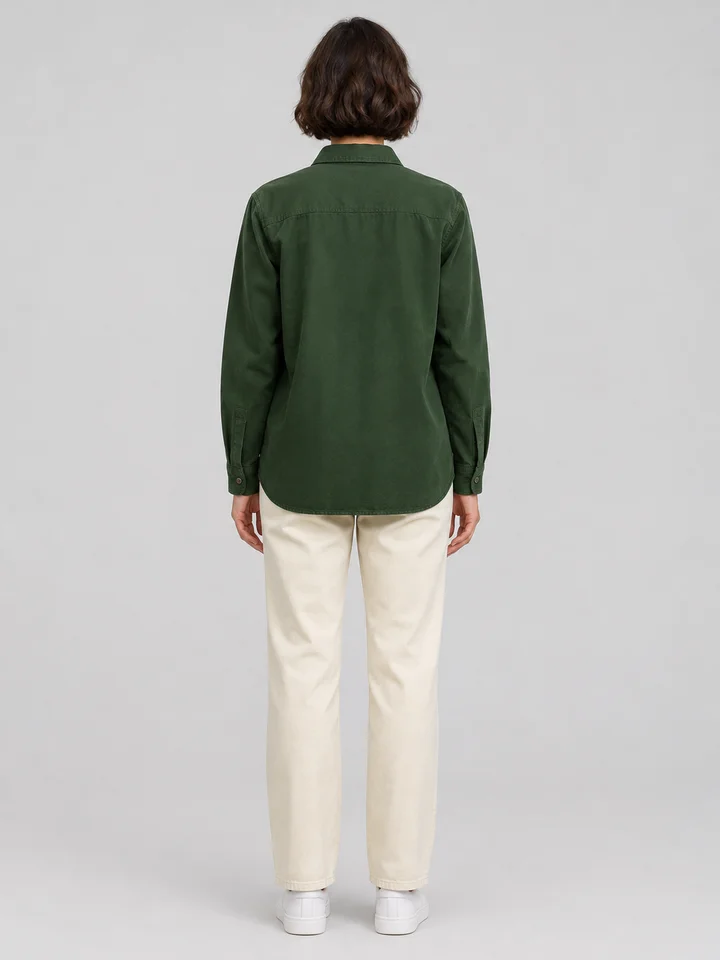
A clay-brown field jacket is presented through complementary camera positions. The front highlights pockets and fastening, the side describes the silhouette, and the back offers another part of the story. A consistent source and a limited set of deliberate views are more useful than many unrelated angles.
Try this toolChoose camera positions to build a small set of complementary views. The tool changes the viewpoint while aiming to keep the subject, garment and setting consistent across the images.
Build a visual product story, compare front and side compositions or plan a future photo shoot.
Upload a person or garment photo, then choose the camera views you need.
Use the options above to set the effect you want. Check the credit estimate before you start.
Compare the result with your source and download the finished image or video.
Begin with the clearest available photograph and keep the garment fully in frame. Choose only the views you need for your layout. Compare color, pocket placement and seams across outputs, especially in areas the original camera could not see. Keep a real product photo nearby for review.
Camera angle and body pose are different choices. Use this tool to change where the camera sees the subject; use Change Model Pose to alter limbs or posture. For a verified view of actual hidden construction, photograph the physical item.
Upload a person or garment photo, then choose the camera views you need.
Unseen sides are estimated from the source image. Generated back and side views are not evidence of the real product construction.
Begin with the clearest available photograph and keep the garment fully in frame. Choose only the views you need for your layout. Compare color, pocket placement and seams across outputs, especially in areas the original camera could not see. Keep a real product photo nearby for review.
Camera angle and body pose are different choices. Use this tool to change where the camera sees the subject; use Change Model Pose to alter limbs or posture. For a verified view of actual hidden construction, photograph the physical item.